Fling to Climb Controls and Sensitivity
Dial in grip, release aiming, and camera speed so flings stop feeling random.
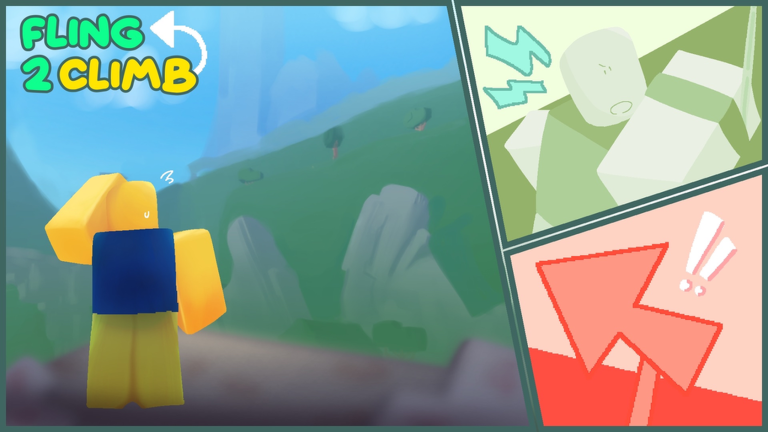
Precision in Fling to Climb! comes from two inputs working together: holding a grip on rock walls and releasing while you move the mouse or touch screen to launch. This guide explains the control model, why first-person and high sensitivity are recommended, and how to practice without buying a single game pass.
If you bounced here from Getting Started, treat this page as your aim lab. Pair it with the interactive checklist on sensitivity setup before long climbs.
Input model
| Action | What you do | What should happen |
|---|---|---|
| Grip | Click / tap and hold on a valid rock surface | Character sticks and can aim the next launch |
| Aim | Move mouse or finger while still holding | Launch vector updates with camera direction |
| Fling | Release while moving | You launch upward / along the aimed path |
| Air correct | Small camera adjustments mid-flight | Line up the next wall or ledge |
| Re-grip | Contact another valid surface and hold | Climb chain continues |
The official description emphasizes releasing while moving the mouse or screen. A dead-stick release with zero camera motion often produces a weak or awkward fling. Think “aim through the release,” not “stop, then let go.”
First-person first
Developers state that first-person mode is required for the best experience. Third-person can hide how much your camera yaw changes during a hold. In first-person you see the wall texture, the next ledge, and the exact moment ice or lava enters the frame. Switch before blaming the physics.
Why high sensitivity helps
High sensitivity lets you:
- Sweep launch angles quickly during a short grip window
- Snap away from lava panels without a long arm drag
- Correct mid-air before wind pushes you off-line
- Re-orient after another player bumps you near a checkpoint
“High” does not mean unplayable. Use this ladder:
- Set a medium-high baseline where a full swipe turns roughly 180–270 degrees comfortably.
- Practice five short flings on a safe lower wall.
- If you overshoot ledges, drop sensitivity slightly; if you cannot finish an aim before stamina-feel or grip timing expires, raise it.
- Log the final value in a note or the sensitivity setup tool so you stop guessing each session.
Mobile players should disable overly aggressive touch smoothing if their device offers developer or accessibility options that delay camera response. A laggy camera feels like bad physics.
PC vs mobile habits
PC: Keep a clear mousepad path. Grip with the button you can hold longest without tension. Many players prefer holding with a finger that does not also drive micro aim — experiment with mouse button binds Roblox allows. Close overlays that steal focus mid-hold.
Mobile: Use a firm thumb for camera and a consistent hold finger for grip. Avoid screen protectors that kill touch precision on edges. Play in a stable posture; couch play with soft pillows under the device increases mis-taps on release.
Practice drills (ten minutes)
- Static grip look — Hold a wall and only practice camera sweeps without releasing.
- Release-on-move — Ten launches where you never release on a still camera.
- Target ledge — Pick one ledge and land it five times before moving higher.
- Recovery — Intentionally fling short, then save yourself with a second grip.
- Hazard peek — From a safe checkpoint, peek the next lava / ice / wind section without committing the full run.
How passes interact with controls
Double Length increases grab distance, which forgives late grips but can encourage sloppy aim. Sprint changes horizontal repositioning between walls. Neither replaces sensitivity practice. Read the game passes guide and perks guide after your camera settings feel settled.
Common control mistakes
- Releasing with a frozen camera, then wondering why the fling felt weak
- Cranking sensitivity so high that ice panels blur past before you aim
- Switching third-person mid-run and losing depth cues
- Practicing only on easy stone, then blaming “broken physics” on the first wind tunnel
- Watching script videos instead of drilling — see Scripts Hub for why that risks a ban
Related reading
Continue with obstacles for hazard-specific timing, advanced fling for chain technique and a practice video, and reach the top for long-run pacing. Economy questions go to coins and skins. Patch changes appear on the Updates Hub.
Dial sensitivity once, write it down, and spend the rest of the session on intentional releases — that single habit beats most paid shortcuts.
Frequently Asked Questions
Quick answers to the most common questions.
What sensitivity should I use in Fling to Climb?
Start medium-high, then adjust until you can finish an aim during a short grip without overshooting the next ledge. Use our sensitivity setup tool to record the value.
Do I have to play in first person?
It is strongly recommended by the developers for the best experience. Precision guides on this wiki assume first-person play.
Why does my fling feel weak?
Often you released without moving the camera, aimed into a hazard, or gripped a bad surface. Practice release-on-move drills on a safe wall.
Does Sprint change how flinging works?
Sprint mainly helps reposition between grips. Your launch still depends on grip, aim, and release timing.